


Blog
How to Find Competitors’ Google My Business Listing Categories (2025)
If you want to dominate local SEO in 2025, one of the easiest ways is by checking out what categories your competitors are using on Google My Business (GMB).

Raphaël Larouche
Updated 3 min read

If you want to dominate local SEO in 2025, one of the easiest ways is by checking out what categories your competitors are using on Google My Business (GMB).
These categories tell Google (and potential customers) exactly what your business does—so if you want to outrank the competition, you need to get your categories right.
Check out this excellent blog listing all the GMB categories.
Below is a quick, step-by-step way to uncover your competitors’ google my business categories and use them to your advantage.
Quick List of Steps
- Navigate to Google Maps
- Locate your competitor’s listing on Google Maps
- Place your mouse cursor next to their primary business category
- Right-click on the GMB listing
- Select “View Page Source”
- Use CTRL + F or CMD + F to open the search box
- Enter the competitor’s primary category
- Scroll through the highlighted text to find secondary categories
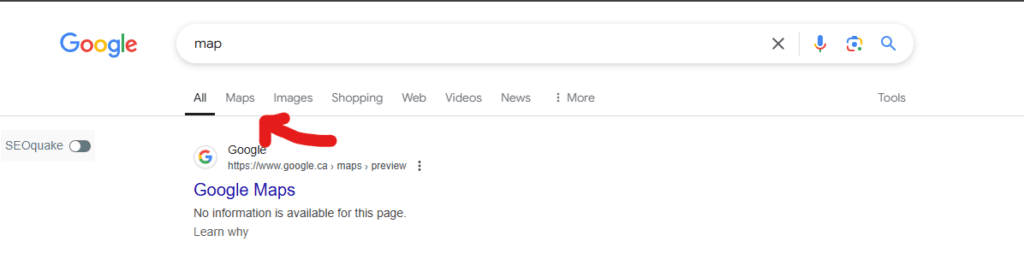
1. Go to Google Maps
Head over to Google Maps. This is where you’ll find all the local businesses competing in your niche.
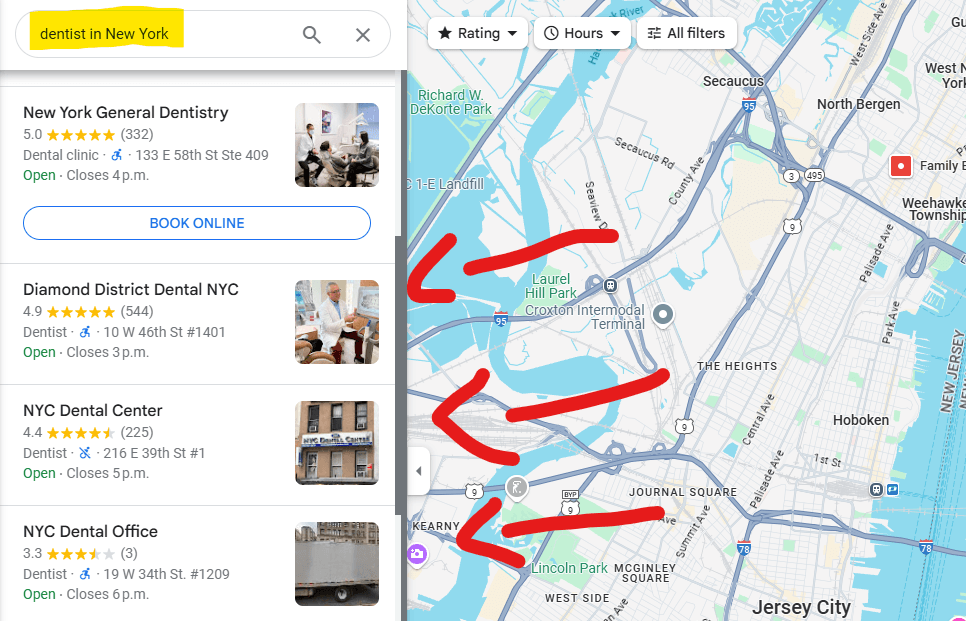
2. Find Your Competitor’s Google Maps Listing
Type in a relevant keyword (like “dentist in New York” or “coffee shop in Toronto”) and look for a competitor you want to analyze. Click on their listing to open up more details.
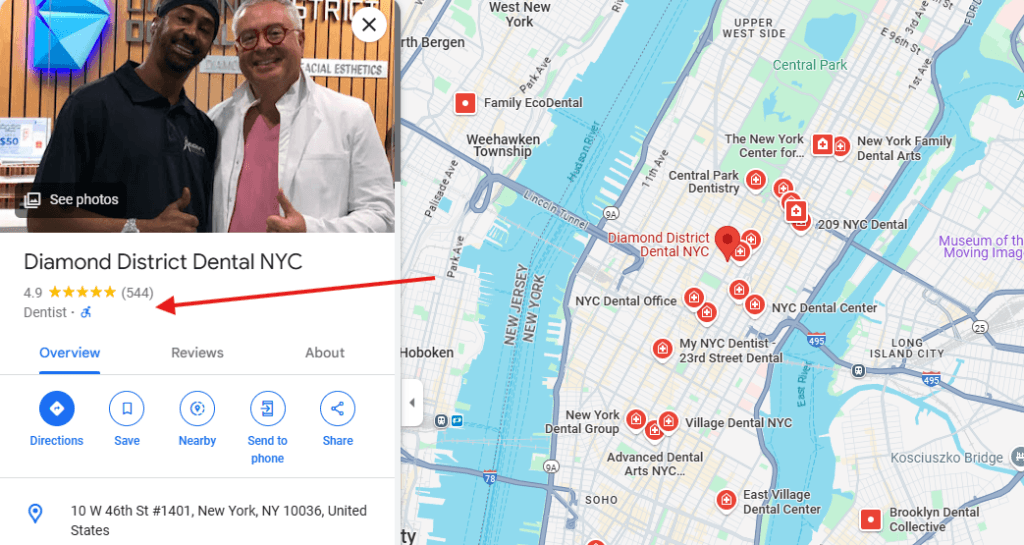
3. Place Your Mouse Cursor Next to Their Primary Category
Under the business name, you’ll see a category—like Dentist, Coffee Shop, or Marketing Agency. Hover your mouse near that category text.
4. Right-Click the Box (Not the Category Text!)
Here’s the crucial part: do not right-click directly on the category text. Instead, right-click (or two-finger click on a trackpad) somewhere in the “box / business profile” or the listing area around that category. This ensures you’ll see the menu of options you need.
5. Select “View Page Source”
Choose View Page Source to open up the HTML code behind the page. Don’t worry—it might look complicated, but we only need to focus on specific text.
6. Use CTRL+F (PC) or CMD+F (Mac) to Search
Press CTRL+F or CMD+F to open the search box.
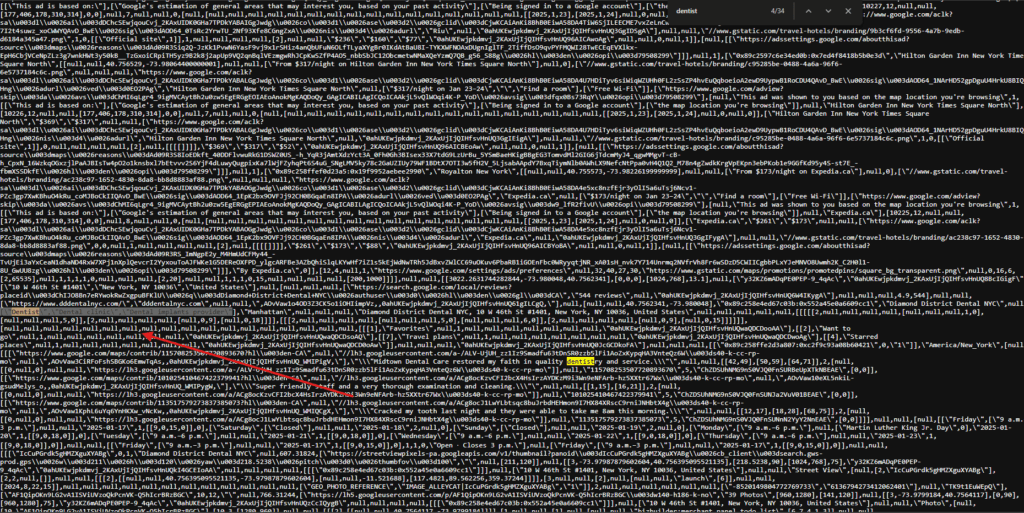
7. Enter the Competitor’s Primary GMB Category
Type in the exact name of their primary category (for example, “Coffee Shop”) into the search box to highlight every mention of it in the code.

8. Scroll Through the Highlighted Text to Find Secondary Categories
As you scroll, keep an eye out for secondary categories. These are usually listed near the primary category. Secondary categories can help you figure out which additional keywords and niches your competitor is targeting.
Why This Matters
- Stay Competitive: By knowing which categories your competitors use, you can make sure your own listing isn’t missing out on relevant categories.
- Improve Visibility: Choosing the right categories helps Google understand your business better, boosting your chances of appearing for local searches.
- Find New Opportunities: You might spot categories that hadn’t occurred to you. Adding these can help you reach new customers.
Final Thoughts
Spying on your competitors’ GMB categories is a quick and effective way to discover what’s working in your local market.
With just a few clicks, you can gather intel to refine your own Google My Business listing—helping you rank higher, reach more customers, and stay ahead of the pack.
Now you know how to do it. So hop into Google Maps, open that source code, and uncover the categories your competitors are using to dominate local SEO in 2025!
Are you looking for an SEO agency that can take your local SEO strategy to the next level? Hit us up for a free consultation